These are the complete numbered changes in this published game update. The original fix numbers are preserved; #2, #4 and #5 were separate published service updates.
Watch the 0.4.2 beta preview
2 minutes 13 seconds. Play to load the video, or open the MP4 directly. The written notes below cover the published game update.
All 138 changes
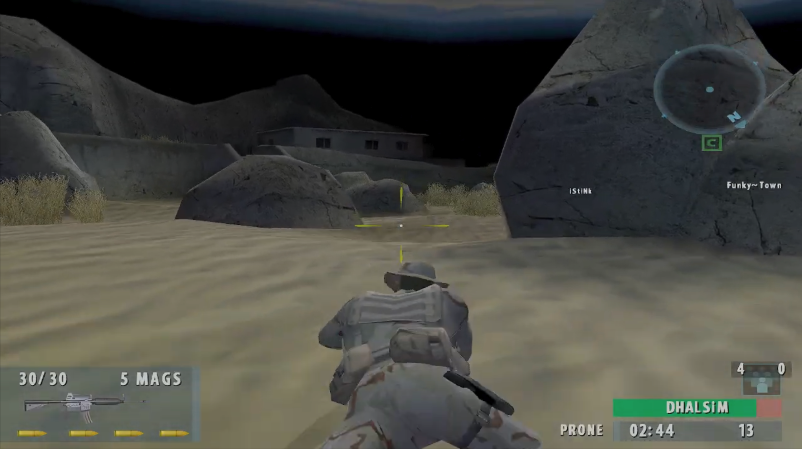
Tied matches continue into tiebreaker rounds. Fixed a bug where a drawn round 11 could end the map with the overall score still tied. Play now continues on the same map until a team wins a tiebreaker; additional draws keep the match going. The scoreboard labels the extra rounds as tiebreakers. Applies to both US-EAST-1 and Controller Only.
Google sign-in recovers from a busy local port. Sign-in can automatically try another approved local port when the first is occupied or unavailable. Error messages distinguish occupied ports from Windows blocking access, and a failed browser launch releases the listener so you can retry.
Discord status for every active lobby./server-status lists every online lobby in one reply, with its map and player count. Team scores and player names grouped under SEALS and TERRORISTS are ready for the next server update. The command itself is already live in both Discord servers; until that update, missing scores/names are clearly marked as unavailable.
New menu screen (Kuwait). The main menu uses the supplied Kuwait artwork with the menu options overlaid and a soft dark gradient for readable text. The old Frostfire caption and idle character presentation are removed.
Safer full-team spawns on SOCOM I Blizzard. Moved all eight terrorist spawn points onto the same clear platform, away from the stairs and conveyor that could trap players as teams filled up. The corrected positions are preserved when map content is regenerated. Checked all eight spawn slots for each team across the map collection for clearance and walking exits.
Planted bombs keep the round alive. Eliminating the planting team no longer awards an early win. Defenders must defuse the bomb before it detonates, including when the planter disconnects.
Jump stays jump between rounds. A/Cross no longer unexpectedly opens the armory. Use the pause menu's Armory button to change your next-round loadout.
Post-round celebrations. Players can fire and throw grenades during the result hold with a fresh button press. Falls, bullets and blasts can hurt teammates and opponents during those seconds, but the finished round's score, stats and team-kill penalties stay locked. Held fire does not carry into the next round.
Updated intro soundtrack. The intro uses the supplied new music, runs about 66 seconds, and retains its closing title card.
Classic-style equipment list. Tap the inventory button, use D-pad Up/Down to choose a weapon or equipment, and confirm your selection. Releasing the button or moving the right stick no longer selects an item.
Hostages visibly fall when killed. Dead hostages play a death animation and stay down instead of continuing their standing idle pose.
Clearer nearby footsteps. Other players' footsteps, including ladder contacts, are 10% louder. Your own footstep volume is unchanged.
Dead-team text and voice chat. During a live round, dead players can communicate only with other dead teammates. Nearby voice automatically switches to dead-team radio. Tap the controller communication button to open text chat while dead; hold it to speak.
More expressive clan tags. Tags preserve lowercase letters and accept selected punctuation, including parentheses, within five characters. Tags remain unique regardless of capitalization.
Weapon names in the kill feed. Elimination messages name the weapon that caused the final hit, including delayed explosive kills.
Clearer death status on the scoreboard. Dead players have a red-tinted row and a death marker positioned separately from their clan tag.
Scoreboard latency. Human players' ping is shown in milliseconds alongside their match statistics.
Stationary mine and claymore placement. Players must stop on solid ground to plant these devices. Grenades can still be thrown while moving.
Scope sway and recoil. Scoped views have slow stance-sensitive sway and visible kick after each shot. Sustained-fire spread is no longer reduced by scope magnification.
Slower scoped movement. Zoomed scopes restrict movement to a slow pace, with slower movement while prone.
Consistent diagonal strafing. Moving diagonally backward no longer inherits the full backward-walking penalty.
Friendly fire. Bullets, turret fire and explosive blasts can damage teammates. Team kills use the existing friendly-kill statistics.
Background audio option. Players can choose to keep game audio playing when the window loses focus.
Quieter environmental audio. Constant ambient beds are reduced, and added nighttime crickets are quieter and less frequent so combat cues are easier to hear.
Vote to end the current map. A majority of connected players can vote from the match menu to end a live map. Votes expire after 60 seconds; repeated presses cannot add extra votes. Results use the normal upload and next-map flow.
Chat during map selection. The map-voting screen includes text chat alongside the existing voice chat.
Larger lobby chat. Chat is above the team rosters with more room and a longer message history. The spectators sidebar is removed to make room for lobby actions.
Distant teammate markers. Visible teammates beyond the normal name-label distance show a small green marker, up to 300 metres away. Walls still block these markers.
Faction-specific armories. SEAL and terrorist weapon choices follow the original SOCOM II map weapon tables. Your next-round kit is checked against your team, while enemy weapons can still be picked up during play.
Double Ammo Load. The original equipment option and icon are available, doubling spare ammunition for both guns without stacking multiple copies.
Resupply from fallen players. Walking over dropped weapons collects compatible ammunition and equipment you already carry. Supplies are limited to what the fallen player had remaining.
Enemy crosshair feedback. The normal aiming crosshair turns red over a living enemy in your clear line of fire.
Bomb compass icon. The satchel uses its original icon on the compass, retaining the existing rules for who can see its position.
Sujo street-sign supports. Sixteen floating street signs now have posts anchored to the original map geometry.
PS4 controller mappings. Explicit mappings added for both standard DualShock 4 USB hardware revisions.
Claymores face the planting direction. The model's labelled front now aligns with its trigger and blast direction, using the heading captured when planting starts.
Additional server checks. Servers validate faction loadouts, limit resupply to actual remaining stock, and correct sustained movement-clock speedups. This adds to the existing server-owned ammunition, fire-rate and damage checks.
More consistent planting interaction. Repeated interaction presses no longer restart planting progress. Objective zones use the player's actual capsule height when checking their position.
Long-fall animation. After a jump turns into a longer drop, the character transitions into the original airborne pose instead of remaining in the launch animation.
Faster hostage following. Hostages can jog to keep up, with walking and idle transitions as they approach their escort.
Vigilance team spawns. SEALs start near the southwest church and terrorists near the northeast bridges. All eight starting positions on each side were checked for spacing and collision clearance.
Alternate daytime visibility. Daytime versions of fourteen originally nighttime maps have slightly lighter distance fog. Their original nighttime fog remains unchanged.
Enemy bomb-pickup alert. An opposing team's bomb pickup now triggers an audible objective cue and message. Rapid repeated pickups are rate-limited.
Higher grenade arc. Throws have more loft and reach; the aiming preview and actual throw use the same direction calculation.
Lobby layout refinements. A compact teal header, gold labels, larger chat area and prominent Armory, Switch Teams and Ready controls bring the layout closer to the original lobby.
Night Stalker water effects. Restored the missing pipe outlet stream and splash in both SOCOM I and SOCOM II versions, using the original water textures and outlet location.
Grenade collision at bridges and catwalks. Grenades can pass through verified openings in Shadow Falls rope bridges and Chain Reaction catwalk structures while solid surfaces and player collision remain intact.
Shots above and beside railings. Fixed oversized collision extending into empty space around catwalks and railings, including Chain Reaction's drydock balconies. Updated the shared collision preparation across the SOCOM I and II map collection while retaining visible walls, tanks, floors and rail bars as cover.
Lighter main menu. The static Kuwait menu no longer renders the hidden 3D map underneath it, reducing unnecessary graphics work. Normal rendering resumes when loading a match; armory previews keep their own rendering.
Clearer graphics crash details. Settings > Crash Reports now includes the graphics adapter, driver version and date, rendering mode, and recorded device error when available, plus guidance for trying a lower rendering workload.
Offline Paintball mode. Play against bots with unlimited player ammunition and no reloading, a spatial paintball firing sound, bright green bullet trails and larger neon-green impact marks. Shots use normal weapon collision, making the mode useful for checking gaps in railings, bridges and other cover. Empty weapons picked up from bots also work without reloading.
Smoother Crossroads market entrance. Removed the brief running slowdown at the small step between the bridge and market patio. The landing stays smooth in both directions, and the support disappears when the bridge is demolished.
Explosive breaches and the original callout. Perimeter barriers in Sujo, Enowapi and Sandstorm now require explosives. Successful SEAL breaches trigger the original SOCOM II perimeter-breached voice line and receive credit once per barrier; repeated hits cannot farm points.
Points for objective play. Completed bomb plants and SEAL perimeter breaches now earn 50 points. Successful detonations, defuses, required hostage/VIP rescues and the existing Escort VIP-elimination objective earn 100 points; an extra rescued civilian earns 50. Objective points count toward the scoreboard, MVP and saved match score. Cancelled actions earn nothing. These are SOCOM Classic score values, not a verified recreation of the PS2 ranking formula.
Bomb interactions respect cover. Satchels cannot be picked up or defused through walls or closed doors. Defusing stops if the path becomes blocked, and planting stops if the player loses the satchel. Dead or spectating players cannot manipulate objectives.
Keep earned round credit when leaving. Leaving immediately after a round ends now preserves that round's career result. A match ending by forfeit during the same intermission also keeps the completed round's credit, without counting it twice.
Escalating team-kill penalties in online matches. Your first team kill gives a warning, your second gives a final warning, and your third kicks you from the match. The count carries across rounds and resets for a new match. A player hosting a listen-server room is eliminated on the third offense because disconnecting the host would close the room.
A lighter Potato preset. Potato now targets roughly a 720p rendering workload while keeping menus at your chosen output resolution. It disables costly optional effects and uses a smaller texture budget. Your settings save normally, including when temporarily switching Full Classic Mode on and off.
Memory budgets for smaller PCs. Texture streaming, temporary texture work and shader preparation now use limits based on available system and graphics memory. These limits reduce pressure; they do not guarantee that every older PC can run every map.
More preparation behind the loading screen. Map loading prepares the selected loadout and a bounded set of common equipment, and gives outstanding texture streaming time to settle before revealing play. Texture waiting is limited to eight seconds so it cannot indefinitely hold the loading screen.
Conservative fog-based rendering limits. Eligible static map scenery can stop drawing only beyond extremely dense fog. Maps whose fog leaves distant scenery visible retain their existing draw distances. This changes rendering only, preserving collision, gameplay visibility rules and network relevance.
Less repeated background work. Fog lookups are cached, unchanged visual settings avoid repeat updates, and headless hosts skip cosmetic ambience and visual-layer work.
Original-game map references. This release-notes page retains player-provided SOCOM II screenshots for Crossroads, Frostfire and Night Stalker. The draft map sliders were removed after verifying that their development captures used different camera positions. Same-location, same-angle PCSX2/game captures are required before map sliders return; exact visual parity remains open.
ORIGINAL MAP REFERENCES.
These player-provided SOCOM II screenshots show the atmosphere we are checking. A side-by-side slider will return for each map only after the development capture is verified at the same location and camera angle. No cross-location wipe is shown.
Crossroads · original SOCOM II referenceFrostfire · original SOCOM II referenceNight Stalker · original SOCOM II reference
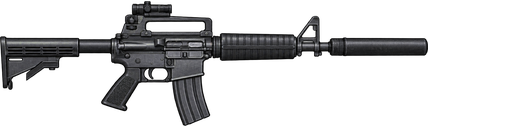
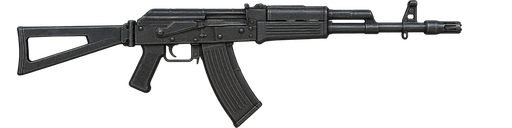
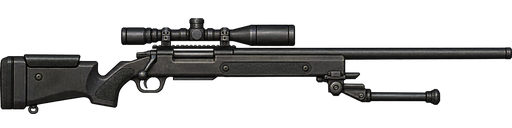
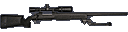
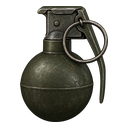
Sharper HUD weapons and equipment. Redrawn high-resolution icons replace the small original sprites for the active weapon and equipment set, including grenades, claymores, mines and Double Ammo. They remain sharp on Low and Potato settings. This release-notes page includes draggable before/after comparisons for M4A1 SD, AKS-74, M87ELR and the M67 frag grenade.
Compare the HUD artwork
M4A1 SD
HUD artwork · Published
SHARPER REDRAW
ORIGINAL HUD ICON
↔
Original 32-pixel-tall artwork compared with the new 128-pixel-tall HUD texture, displayed at the same size. These are sharper redraws; reconstructed details can differ from the original pixel artwork. Open original · Open redraw
AKS-74
HUD artwork · Published
SHARPER REDRAW
ORIGINAL HUD ICON
↔
Original 32-pixel-tall artwork compared with the new 128-pixel-tall HUD texture, displayed at the same size. These are sharper redraws; reconstructed details can differ from the original pixel artwork. Open original · Open redraw
M87ELR
HUD artwork · Published
SHARPER REDRAW
ORIGINAL HUD ICON
↔
Original 32-pixel-tall artwork compared with the new 128-pixel-tall HUD texture, displayed at the same size. These are sharper redraws; reconstructed details can differ from the original pixel artwork. Open original · Open redraw
M67 frag grenade
HUD artwork · Published
SHARPER REDRAW
ORIGINAL HUD ICON
↔
Original 32-pixel-tall artwork compared with the new 128-pixel-tall HUD texture, displayed at the same size. These are sharper redraws; reconstructed details can differ from the original pixel artwork. Open original · Open redraw
Double Ammo now has an armory model. Selecting Double Ammo Load shows a rotating, textured metal ammo box instead of an empty preview.
Stormier rain and snow. Sujo and The Mixer have fuller, more visible rain with an original SOCOM II rain cue; Guidance and both Blizzard versions have denser snowfall. Weather gathers in the player's view, fades under cover, and uses smaller particle budgets on Low and Potato settings.
Slower, more natural cold-weather breath. Characters on Blizzard, Guidance and Requiem exhale faint, translucent mist from the mouth using an original SOCOM II breath-puff texture. Each exhale drifts and fades, followed by a distinct pause. The lightweight effect also appears on Low and Potato settings, but stays out of the local first-person view.
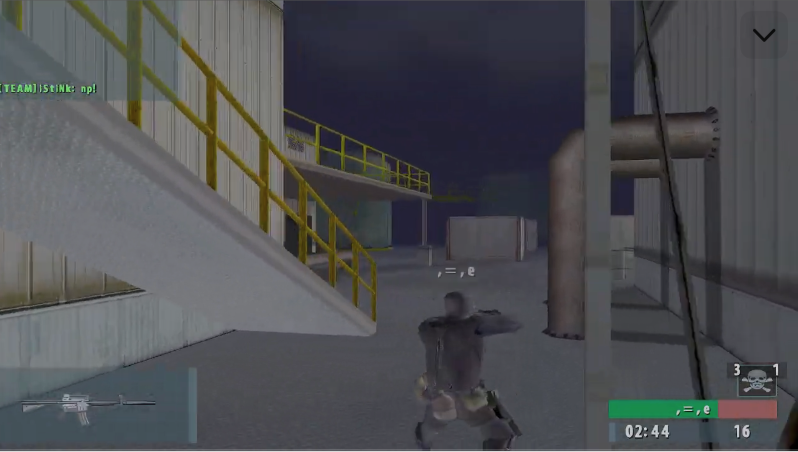
Weapon HUD artwork keeps its shape and position. Wide rifles, including the M4A1 and M4A1 SD, no longer stretch into a short silhouette. The visible artwork is centered in the ammo panel even when the source sprite has transparent padding.
Safer first launch on Intel UHD 630. On a new installation with an Intel UHD 630, the game selects Potato graphics and disables optional ray effects before loading the menu. Existing graphics choices remain yours. This reduces the initial workload; the recurring driver crash still needs testing on that hardware.
Crossroads source sky geometry. Restored the original map's cloud-side and sky-cap artwork and closed a gap below the horizon. The original-game color, fog and camera comparison is still in progress.
Clearer PS4 controller settings. The controller screen now identifies a DualShock 4 by name and shows its SHARE button, alongside existing DualShock 4 button, stick, trigger and D-pad mappings. USB, Bluetooth and hotplug still require a physical-device check.
Slide down ladders. Hold the action button while moving down a ladder to descend quickly. Releasing it restores normal climbing speed; the original SOCOM II slide animation and positional sound play during the slide. The jump button still releases the ladder.
Clear shots over Crossroads market tables. Removed invisible bullet blockers above the tables beneath the striped awning. Shots now pass through the open space while the visible tabletops, legs, and awning still stop them.
Private operator moderation. A verified project administrator can review saved accounts, including private profiles, and see signed-in menu presence plus uniquely identified lobby guests on updated servers. Kicks and time-limited bans target a live connection rather than a shared display name; account bans also block new stat-linked sessions. The website/API controls are published; live roster reporting and moderation await the next matched client/server release.
Shoot through broken Blizzard windows. Removed an extra collision-only wall behind the third SOCOM II Blizzard shack window. Bullets now pass through the opening after the glass breaks while the window frame and surrounding wall still stop them. The source collision repair and angled-window checks cover both Blizzard versions.
Restore full image quality after Potato mode. Choosing Low, Medium, High or Epic after Potato now restores native render scale automatically. Existing non-Potato settings accidentally saved at Potato's sub-50% scale are also repaired on launch. Manually chosen 50–100% render scales remain yours when changing between normal presets.
More reliable shots through SOCOM I windows. Cleared oversized bullet collision at the reviewed Desert Glory and Night Stalker window openings in the SOCOM I maps. Surrounding walls and solid frame samples continue to block shots.
More natural ragdoll falls. Reduced excess neck, torso and shoulder twisting and added rotational damping so bodies settle with less limb flailing. Limb joints still bend for falls against walls, steps and slopes.
Turrets fire on the first click, including in Paintball mode. Removed the post-mount firing delay and send the current turret aim with the first press so mouse fire no longer needs an earlier aim click. Offline Paintball turrets now use paint tracers and impacts with unlimited ammunition, including the grenade-launcher emplacement.
Free camera for filming bot matches. In an offline Play vs Bots match, choose Spectate Bots / Free Camera from the match menu to fly around while both bot teams keep fighting. The Display options now include a saved Gameplay HUD switch for clean footage, including the FPS overlay. You can rejoin as a player at the next round.
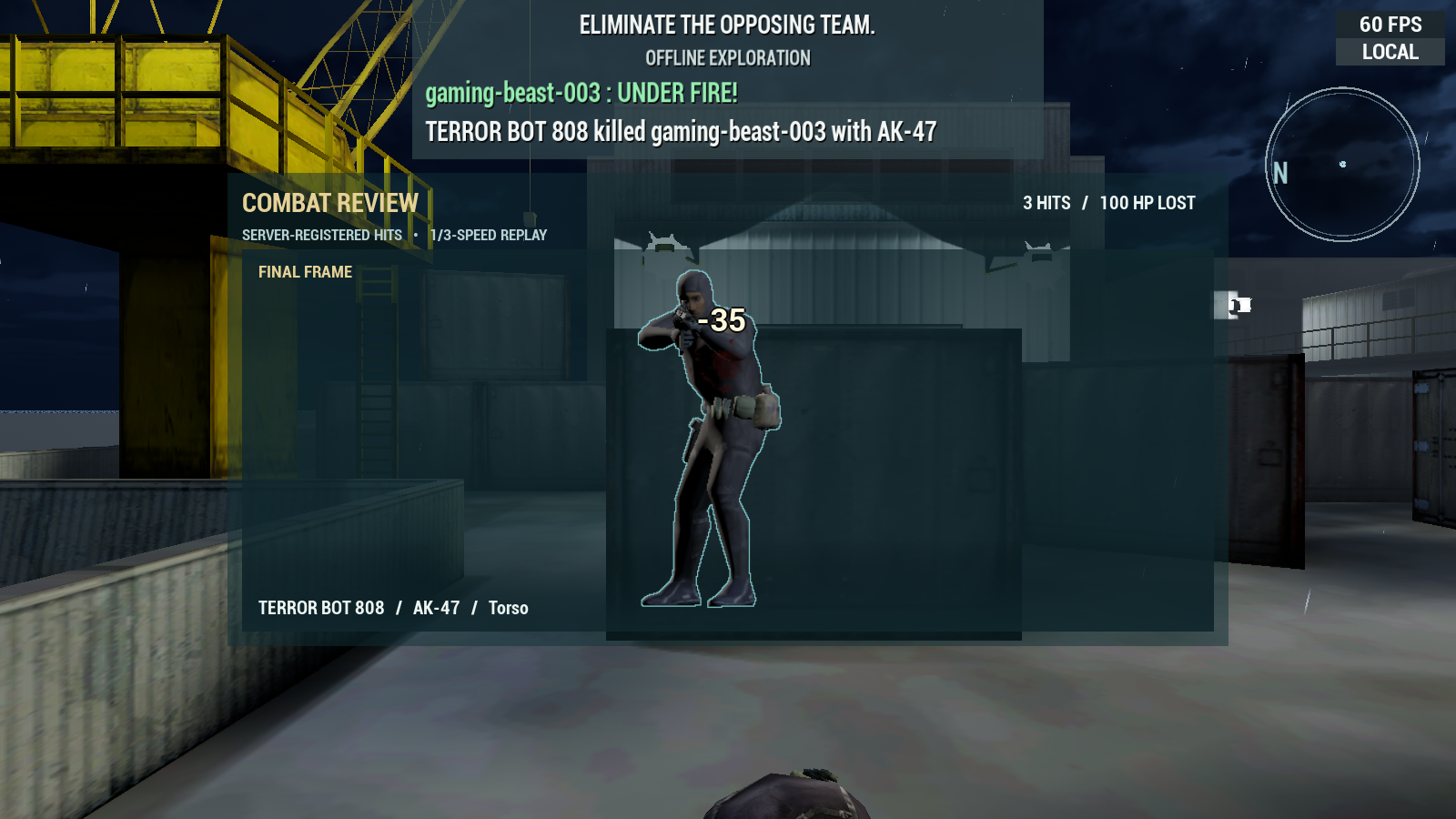
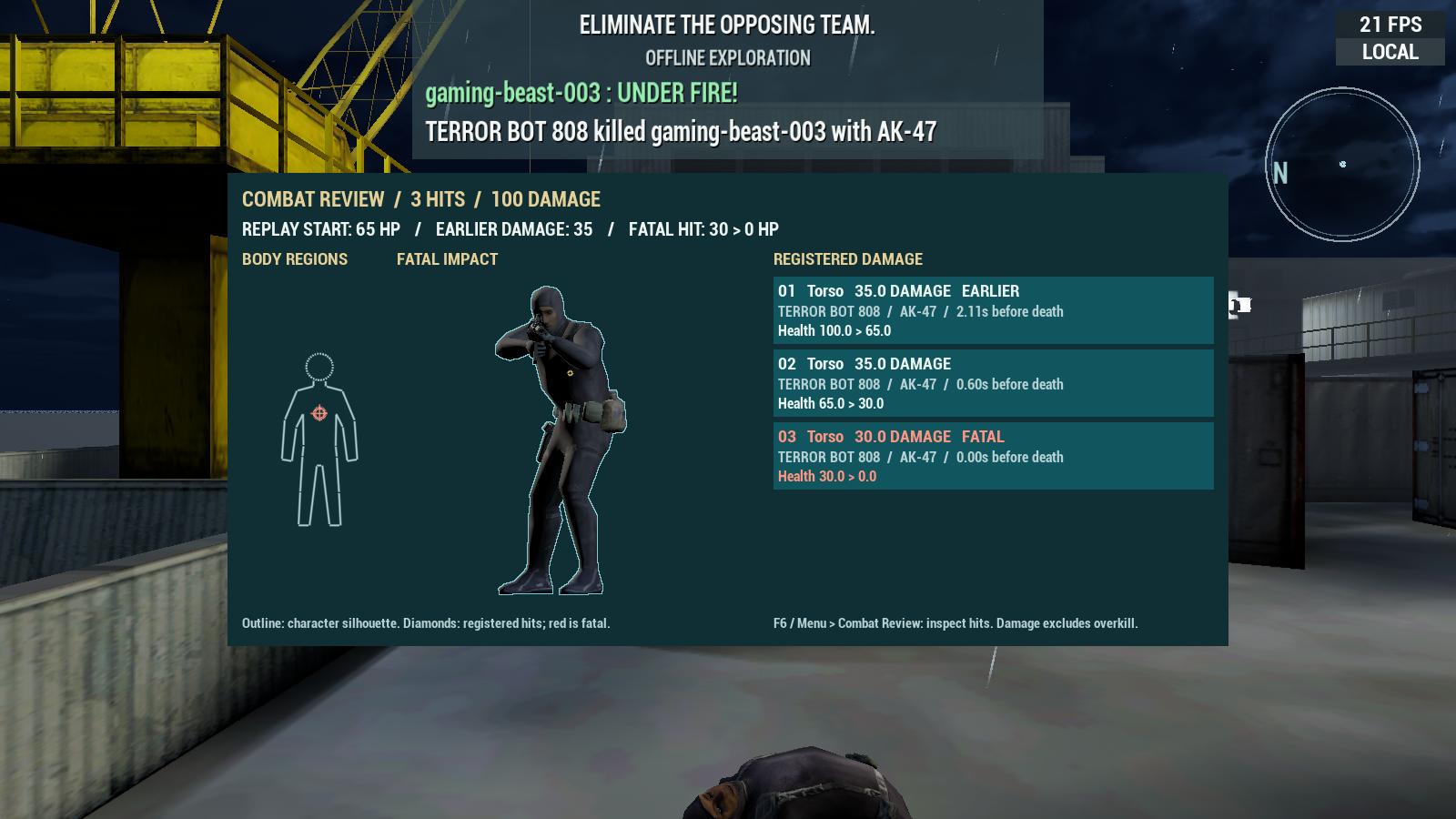
Clearer Combat Review. Replayed bullet hits now show a brief blood effect and outlined damage at the actual recorded wound, with the soldier's hit and death audio slowed to match. Wound labels stay on the struck limb as the body settles gently after a fatal hit. The schematic body diagram and large side list are removed; a translucent gradient keeps the replay in focus. A matched before/after slider is prepared for the website.
Compare Combat Review
Recorded hit replay
Combat Review · Published
NEW COMBAT REVIEW
PREVIOUS LAYOUT
↔
Before and after: the same three-hit test at the same replay time and front camera angle. The old side list and body diagram are replaced by damage at the wound. Open before · Open after
SOCOM II-inspired weapon damage. Rebalanced 42 SOCOM II firearm entries against the recovered close-range torso damage routine. The DE .50 now kills with one body hit; Mark 23 in two; low-power SMGs and pistols take more. Shotguns reward close-range pellet hits. The current 100-HP model still differs from the original's region-specific health and armor, so this is a shot-count adapter rather than exact original damage simulation.
Debug tools and longer Paintball trails. Paintball Mode now lives under Debug near Exit Game on the main menu. Its bright bullet paths remain visible for three seconds, making collision problems easier to capture in screenshots.
Double Ammo stays passive during play. Equipping Double Ammo still doubles spare firearm ammunition, but the game now starts on the next usable equipment item, such as grenades. The in-game controller list and equipment cycling skip the ammo box, including online. Its rotating 3D model remains in the Armory.
Clearer shots through snowy-map handrails. Corrected collision-only blockers along Requiem's northern double staircase, a second stair edge, and Guidance's guard platforms. Shots pass through tested openings while visible posts, bars and solid stairs still stop them. The broader all-map railing audit remains open.
Water has depth underfoot. On maps with rivers, ponds, swamps and shallow pools, players now step down into the water instead of running across its flat surface. Wading slows movement and uses water footstep audio; tiny puddles stay shallow. Dry ground and the original bullet collision remain in place.
Visible SOCOM II Frostfire ladder passage. Added a small local light at the previously pitch-black sniper-ladder passage so players can see the ladder and nearby walls on High settings. The main tunnel, exterior lighting and other maps retain their existing appearance.
Clearer online lobby and Ready countdown. The Briefing Room and Game Lobby use the original menu's tighter columns, blue-gray strips and image-backed panels. Ready stands out from secondary actions, and an all-ready start shows a large boxed ten-second countdown. Verified account rank badges appear beside players when the account service supplies a saved rank.
D-pad Armory selection and equipment details. Choose a loadout slot with up/down and cycle its items with left/right, without opening a dropdown. Equipment now has a description in Weapon Data as well as a short Weapon Tips entry.
More reliable rendering on Intel integrated graphics. Intel D3D11 systems now use a less demanding visibility path across all maps, targeting repeated render-thread timeouts seen in player crash reports. Crash diagnostics also record the visibility mode. This still needs verification on affected hardware.
Lighter Potato mode for older laptops. Potato now renders the 3D world at about 540p, including on 720p screens, while keeping the menu and HUD at the selected display resolution. New Intel UHD installations with untouched Low defaults select Potato once; later graphics choices remain yours. Existing saved Potato render scales are preserved until you reselect the preset.
Added anti-cheat measures. The server now confines ladder movement to the ladder, uses its own stance when setting movement speed, and limits repeated or excessive fire-press commands. Weapon fire rate, ammunition and damage remain server controlled. These checks do not require a separate anti-cheat installation.
Recoverable dropped satchels. A bomb dropped by a crouched or prone carrier now settles above the supporting floor instead of becoming unreachable beneath it. This also applies when the carrier disconnects.
Main-menu creator credit. A small note on the main menu identifies this as an unofficial, not-for-sale software demo, acknowledges the original rights holders, and credits the developers and artists at Zipper Interactive.
Sujo floating lights. Detached glow sprites no longer hang over Sujo's streets and rooftops. The map's actual lamps, lighting and rain remain.
Softer Enowapi night water glare. The oversized white reflection across water near the SEAL spawn is reduced in the optional Night version. Daytime water and the map's fixture lights keep their original appearance.
Clear shots through the Abandoned tunnel window. After breaking the wooden window near the tunnel, bullets now pass through the opening while the visible frame still blocks them in both SOCOM I and II Abandoned.
Restored original map vegetation. Abandoned's missing bamboo and ferns near the SEAL spawn are back. Small source plants and trees from the original map data now appear across 22 affected maps, including Blizzard, Blood Lake, Shadow Falls and Sujo. They do not add invisible movement or bullet blockers.
Fixed the SOCOM I Desert Glory hostage tunnel camera. Standing against the tunnel wall under the hostage room no longer lets the camera pass through the visible surface and show other parts of the map. Player movement and bullet collision are unchanged.
Balanced rain across Sujo. Sujo's rain is less visually and audibly overwhelming. Its nearby rain field now follows the player and spreads around the camera to remove the hard edge noticed when running or turning. The Mixer and snow maps keep their existing storm strength.
Clearer server status on the website. Lobby cards now stack consistently, highlight when a controller is required, and retain a recent confirmed status through brief refresh failures. The homepage introduces SOCOM Classic as a community software demo and no longer advertises the expired initial beta-testing dates. This website update is live; no game update is needed.
Original weapon reaction animations. Accepted shots now play the original stance-specific rifle and pistol recoil poses; the pump shotgun uses its pump action and reload pose. Scoped rifles and snipers retain their existing weapon-specific aim kick. Recoil strength and weapon balance are unchanged.
More original daytime skies. Desert Glory, Bitter Jungle, Fox Hunt, The Mixer, Guidance and Enowapi now use sky artwork and geometry recovered from their SOCOM II map data. The source sky stays out of alternate nighttime. Fog distance remains consistent across Low and High graphics presets.
Earned player ranks and top-ten ranking. Completed online matches now earn career points and promote players through Ensign, Lieutenant, Lieutenant Commander, Captain and Admiral using the original insignias. A Player Ranking screen shows the top ten public profiles in game; the website leaderboard shows the same earned ranks and sorts by career points. Fixed promotion requirements suit our smaller community. Private profiles, offline games and bot practice do not enter the public ranking.
More useful crash reports. Reports now record the source and destination of map changes, whether the world loaded, and peak memory use. The private crash inbox surfaces graphics hardware, driver, rendering mode and missing diagnostic files so repeated failures are easier to investigate. Explicit account and machine ID fields are excluded from its searchable summary.
Softer breath on cold maps. Breath mist on Blizzard, Guidance and Requiem is half as opaque, while keeping its slow exhale and pause.
Reliable planted-bomb music and regional victory cues. The original tense score starts when a bomb is planted, even if a radio callout is delayed. The round-intro music fades as the score begins, and the score ends when the bomb is resolved or the round changes. Original SOCOM II maps now use their region's victory music instead of the Russian track on every map.
Planted bombs now explode. If nobody defuses a planted bomb before its timer expires, its C4 blast is visible and audible and can injure or kill nearby players on either team. Solid cover protects players, and defusing prevents the blast.
Watch the planted bomb after your team is eliminated. If no living teammates remain, your spectator view looks at the bomb site so you can see the countdown and explosion. You continue to follow living teammates when available; defusing the bomb or starting a new round returns the normal view.
Frostfire ladder facing. Climbing the ladder near the center of SOCOM II Frostfire now faces the rungs and steps off onto the correct upper landing instead of climbing backwards. The SOCOM I ladder was already facing the right way.
Real fixture lighting on both Frostfire maps. Removed the oversized flat white light sprites from SOCOM I and II Frostfire. The existing point lights continue to illuminate their fixtures, including when switching SOCOM II Frostfire between Classic and Enhanced visuals.
Ghost instructions and a compact in-match Armory. After elimination, a SOCOM II-style message explains that you will return next round, how to change weapons, and how to cycle living teammates. Its button hints follow the last used PlayStation controller, Xbox controller, or keyboard. During a match, the Armory now opens as a left-side menu over gameplay; up/down selects a slot, left/right changes its item, and saved choices equip on the next spawn. The full Armory remains available outside a match.
Original objective icons on the compass. Replaced the satchel-bag bomb marker with SOCOM II's round bomb-and-fuse symbol. Bomb sites A/B, extraction and hostage markers now use their original HUD icons, with the original directional pointer beside objective bearings. Friendly teammate dots remain unchanged.
Private bomb-action progress. Planting and defusing progress now appears only for the player performing the action. Opponents no longer see a bar revealing an unfinished plant or defuse; both teams still receive the normal announcement once a bomb is planted.
Clearer shots through open scenery. Bullets and paintballs now pass through the empty spaces around Crossroads market tents, two Fish Hook boats, and outdoor shelving on both Desert Glory versions. Their visible fabric, hulls, boards and supports still provide cover. These repairs are part of the continuing all-map collision audit.
Corrected Desert Glory's broken-stair climb. The broken stair recess no longer offers a ladder interaction or makes the soldier climb it like a ladder. The separate garage roof ladder is unchanged.
Faster controller-friendly menus. Play vs Bots now shows Xbox, PlayStation or keyboard shortcuts for Back, Armory and Start Match based on the last input. Display and Quality settings have clearer controller prompts, quicker category switching and more predictable focus when opening or leaving a choice list.
Clearer menu selection and in-match Armory. Selected menu actions now have a filled highlight with even padding. Debug and Exit Game sit at the bottom left, below Settings. Controller focus is easier to follow through settings, lobby and map/time voting. The compact in-match Armory keeps a steady size on the left, shows weapon and equipment images, and leaves more of the spectated match visible.
Quicker hostage escort. Following hostages jog a little faster so they keep closer to a running escort, with their jog animation sped up to match their movement.
One 2× ammo pack per loadout. The Armory now lets you select 2× ammo in only one equipment slot. It becomes available in another slot if you remove the first pack. Older duplicate selections are repaired when loaded, and online loadout submissions cannot add a second copy.
Clearer main-menu demo notice. The small legal line now ends with “This demo is NOT for sale.”
Roomier game lobby and chat. The lobby now uses more of a widescreen display, giving SEAL and terrorist player lists more room for longer names. Text chat gains about one message line of height while both eight-player rosters remain visible. The map heading also stays clear of the FPS counter.
Snowfall stays with players on Blizzard. Snow now follows the player throughout both Blizzard maps, including when running or turning, instead of leaving a clear edge where the weather volume ends.
Clearer Start Match controls. Play vs Bots shows Enter for keyboard selection and Options on PlayStation controllers alongside the existing Xbox Menu prompt. Armory and Back prompts continue to follow the last input device.
Predictable lobby D-pad navigation. Pressing Right from Armory moves into chat, and Left from chat returns to Armory instead of jumping to an unrelated control. The chat and player columns remain reachable in sequence.
Smoother controller menu navigation. Play vs Bots moves across match settings in their visible order, then stops at the last field instead of jumping back into the map grid. The Armory labels its D-pad controls, keeps controller focus off mouse-only item arrows, and moves directly between the final equipment slot and Done. The map name in the Armory no longer sits under the FPS display.
Tighter grenade and mine blasts. M67 and HE grenades, PMN mines and claymores now deal damage within 5 metres instead of 10. Claymores' short rear blast reaches 1.25 metres instead of 2.5. Mine chain reactions obey the smaller blast reach, while direct hits, solid cover, and friendly-fire rules still apply.
Clearer shots on The Mixer. Bullets now pass through the visible gaps between train cars and above the empty oil tanks and SEAL-side wall. Car bodies, undercarriages, tank walls and lower masonry still stop bullets. Player movement collision is unchanged.
Team switching from a tied lobby. Players can switch teams when both sides have the same number of players, so another player can follow to restore balance. The room waits for balanced teams before starting; switching still cancels that player's ready status.
Climb both Enowapi watch towers. Restored the missing ladder interactions on both original tower ladders, with clear approaches and platform exits. Climbing down works too.
Shoot through the Sujo window below the laundry. Removed an invisible bullet blocker from that open window while keeping its frame solid and its player-movement collision intact.
Rocket launchers use two equipment slots. The AT-4 and RPG-7 now occupy two Armory equipment positions, leaving the primary rifle, sidearm and one other equipment item available. The Armory marks the reserved position, and existing launcher loadouts migrate to the new layout where the map and team permit them. Launcher selection works from the equipment key and controller inventory.
Sujo ladder climb alignment. Moved the climb path of the caged ladder beside the brick building onto its visible rungs. Climbing up, down and releasing from the ladder passed focused traversal checks.
Score penalties for team kills and suicides. Each team kill or suicide now subtracts 100 from the match scoreboard, so a player can have a negative score. Killing a teammate bot counts too. Linked career scores will reflect these penalties when the matching account update ships.
Abandoned SEAL-spawn railing clearance. Removed the unseen upper part of the stone railing collision beside the mounted gun and along both sides of the adjoining bridge. Players can jump across the visible rail height; the lower stone still blocks them.
Smoother firing animation. Shooting no longer forces the upper body into a different ready pose for a split second. The recoil motion now plays over the current stance so the character keeps a steadier aim and body posture. An in-game visual check remains.
Fish Hook rock-boundary clearance. Pulled the invisible collision on the Hotel-side rock ridge closer to its visible edge while keeping the cliff boundary intact. Focused player-movement checks confirm the two affected approaches gain about half a metre and remain safely blocked at the edge. The exact photographed route awaits a packaged player retest.
Enowapi night match exit. Fixed a crash that could occur when leaving an Enowapi night match for the main menu. Two exits from the corrected Shipping build completed without a crash.
 SHARPER REDRAW
 ORIGINAL HUD ICON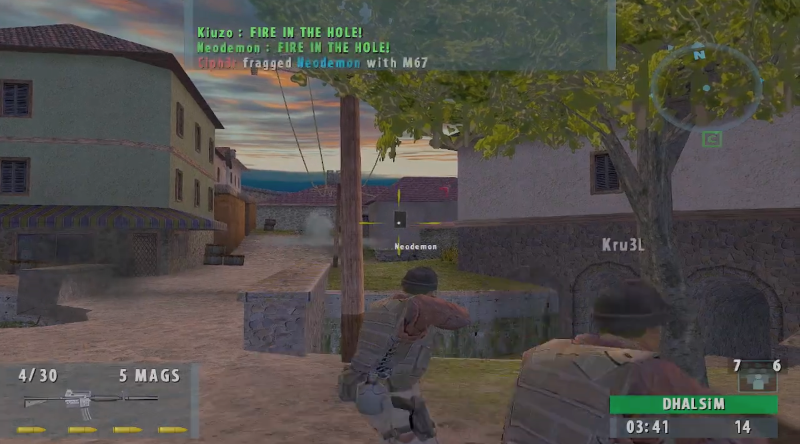
 SHARPER REDRAW
 ORIGINAL HUD ICON
 SHARPER REDRAW
 ORIGINAL HUD ICON
 SHARPER REDRAW
 ORIGINAL HUD ICON
 NEW COMBAT REVIEW
 PREVIOUS LAYOUT